

使用方法调试 API 请求
调试 API 请求
要调试发送给翻译提供商(如 ChatGPT、Claude 或 Google Translate)的请求及其响应,您可以在日志与通知的设置中启用 🔵 Info 严重性级别。
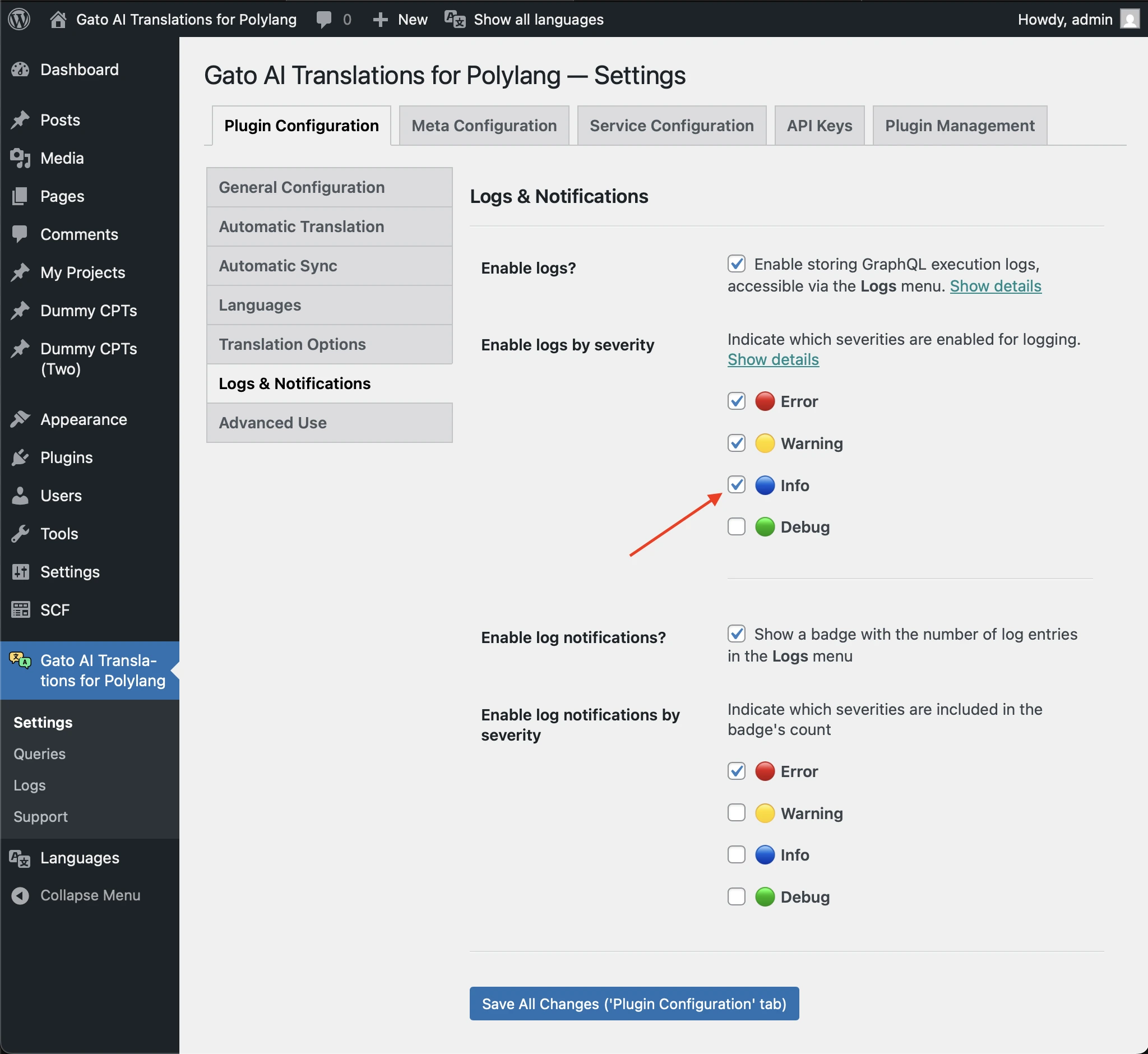
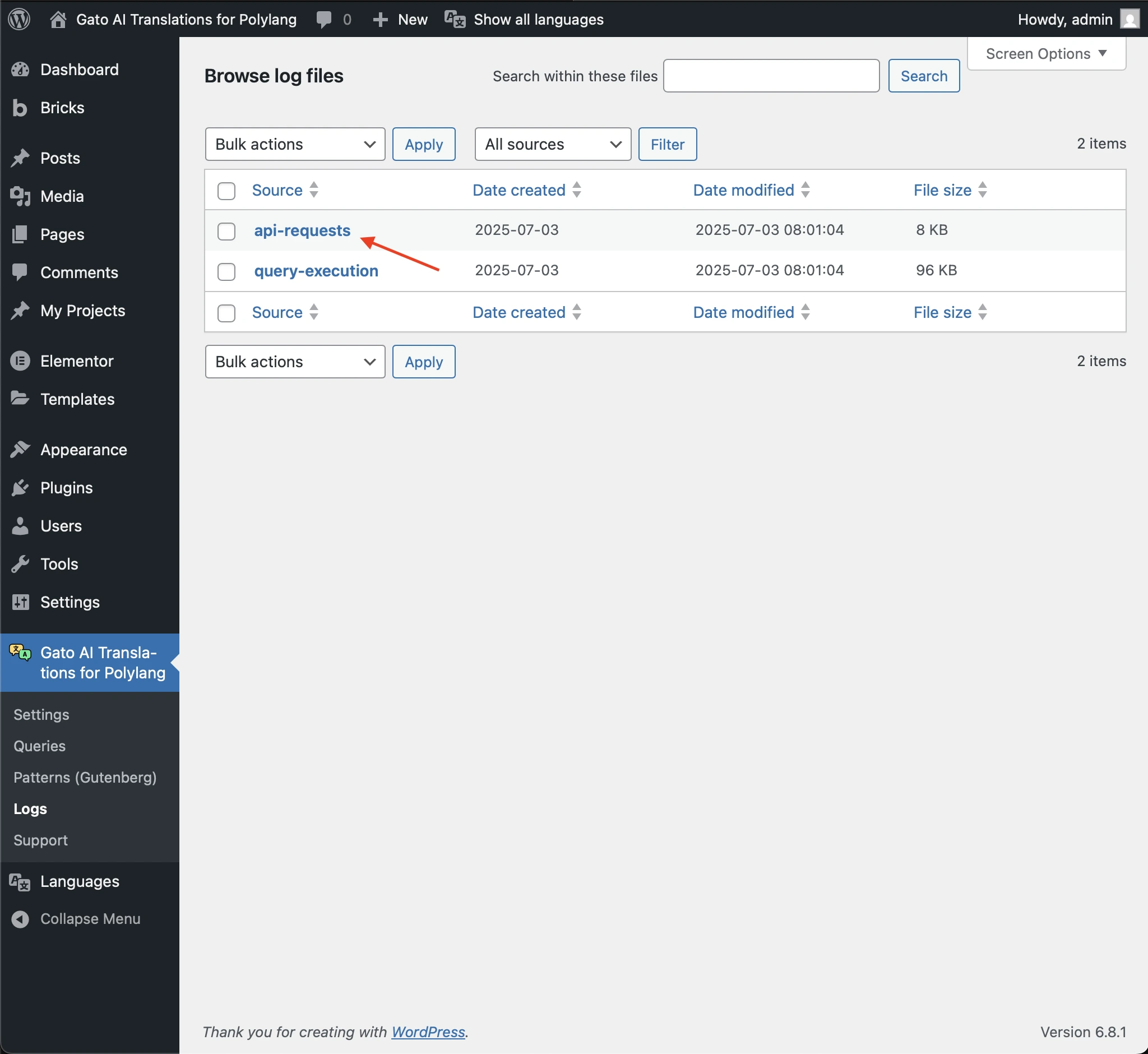
访问 API 请求日志
日志将存储在 api-requests 条目下。
记录的内容
对于 AI 提供商,api-requests 条目包含以下详细信息:
- 发送给 AI 提供商的提示词
- 收到的完整响应
- 通信过程中出现的任何错误或问题
- 使用的模型
- 使用的 token 数量
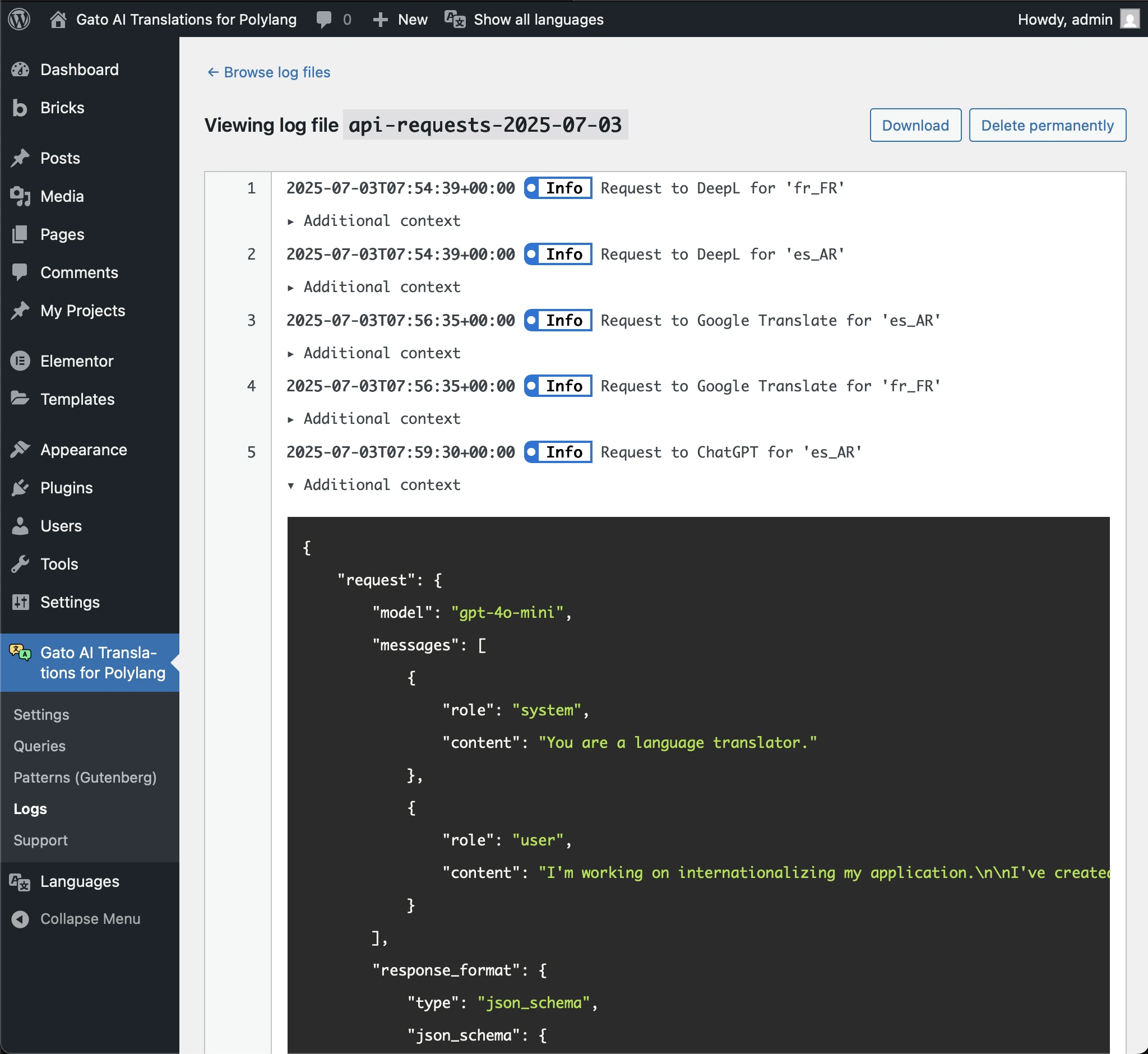
例如,以下「Additional context」JSON 展示了发送给 Claude 的请求及其响应的详细信息:
{
"request": {
"model": "claude-3-7-sonnet-latest",
"max_tokens": 128000,
"messages": [
{
"role": "user",
"content": "You are a language translator.\r\n\r\nI'm working on internationalizing my application.\r\n\r\nI've created a JSON with sentences in English. Please translate the sentences to Spanish from Argentina.\r\n\r\nIf a sentence contains HTML, do not translate inside the HTML tags.\n\nReturn ONLY a JSON object with a single key \"translations\" containing an array of translated strings.\nDo not include any explanations, markdown formatting, or code blocks.\nThe response must be a valid JSON object starting with { and ending with }.\n\nThis is the JSON:\n\n[\"HTTP caching improves performance\",\"Categories Block\",\"Latest Posts Block\",\"Democratizing publishing\"]"
}
]
},
"response": {
"id": "msg_01EC2Qp2fMw6VQY8tGESFrh2",
"type": "message",
"role": "assistant",
"model": "claude-3-7-sonnet-20250219",
"content": [
{
"type": "text",
"text": "{\n \"translations\": [\n \"El caché HTTP mejora el rendimiento\",\n \"Bloque de categorías\",\n \"Bloque de entradas recientes\",\n \"Democratizando la publicación\"\n ]\n}"
}
],
"stop_reason": "end_turn",
"stop_sequence": null,
"usage": {
"input_tokens": 138,
"cache_creation_input_tokens": 0,
"cache_read_input_tokens": 0,
"output_tokens": 61,
"service_tier": "standard"
}
}
}